
📌 TL;DR: Tinder photo verification failed because one of two tests didn't pass: the liveness check on your video selfie, or the match between that selfie and a clear solo face photo on your profile. Tinder lists 5 official rejection reasons, and most come down to framing, light, or profile photos that no longer look like you. Fix the light, add one recent solo face photo, update the app, and retry. Processing should take a few minutes.
In this guide:
- Which Tinder check failed?
- How Tinder photo verification works
- Tinder's 5 official rejection reasons
- Fixes by symptom
- Step-by-step fix
- How long it takes
- When your photos are the problem
- Is it safe?
- Can it be faked?
- FAQ
If your Tinder photo verification failed, you're not alone, and you're probably not doing anything wrong on purpose. One user filed a complaint titled "37 attempts and counting" after the selfie kept bouncing back:
"Even with a high-quality camera on my latest iPhone, Tinder still blurs the images and keeps rejecting them, telling me to retake the verification selfie."
Here's the part most guides skip. Tinder isn't only judging your selfie. It compares that selfie against the photos already on your profile. A perfect selfie still fails if your profile photos are five years old, filtered, or all group shots.
This matters more now than it did a year ago. Tinder made its Face Check scan mandatory for new users in California in June 2025, then announced in October 2025 that it would expand across the U.S. Match Group says early results, alongside other safety changes, showed an over 60% drop in exposure to potential bad actors. More people are hitting the check, so more people are failing it.
I'm Jacob Zaki. I've spent 12 years helping 1,200+ men fix their dating profiles, and verification is now the first wall many of them hit. Everything below is built on Tinder's own help center documentation, linked throughout, not guesswork.
Get Photos That Actually Look Like You (and Match Your Selfie) →
Which Tinder Check Failed? Photo Verification vs Face Check vs Photo Check
Tinder runs several checks that use a video selfie, and each fails differently. Figure out which one you hit first.
| Check | When you see it | Optional? | What happens if it fails |
|---|---|---|---|
| Photo Verification | You tapped the gray checkmark by your name to get the blue badge | Yes | No badge. You can exit and retry |
| Face Check | During sign-up as a new user, where it's required | No | You can't finish setting up the account until it passes |
| Photo Check | Out of nowhere, on an existing account | No | Account stays locked until you pass. If you never do, Tinder closes it after 2 years |
| ID + Photo Verification | Optional ID upload, only in select test markets | Yes | No ID badge |
| "Your profile is hidden" | No selfie at all. Tinder can't detect a face photo on your profile | No | Hidden from others, no Likes or Boosts until you add a clear face photo |
Photo Check confuses people most. Per Tinder's Photo Check page, it's triggered "when our automated safety systems or human moderators detect unusual activity," and you must pass it "to resume normal use of the app." Tinder may also review your photos manually.
The hidden-profile message isn't a selfie check at all. Per Tinder's help center, it means the system "can't clearly detect a face photo" on your profile, so the fix is a well-lit photo where your full face is visible.
Key takeaway: Optional Photo Verification only costs you a badge. Face Check and Photo Check block the app until you pass, so treat those as the urgent ones.
How Tinder Photo Verification Works: Two Tests, Not One
Tinder photo verification is two separate tests run on one short video selfie. Tinder's own explanation spells out both.
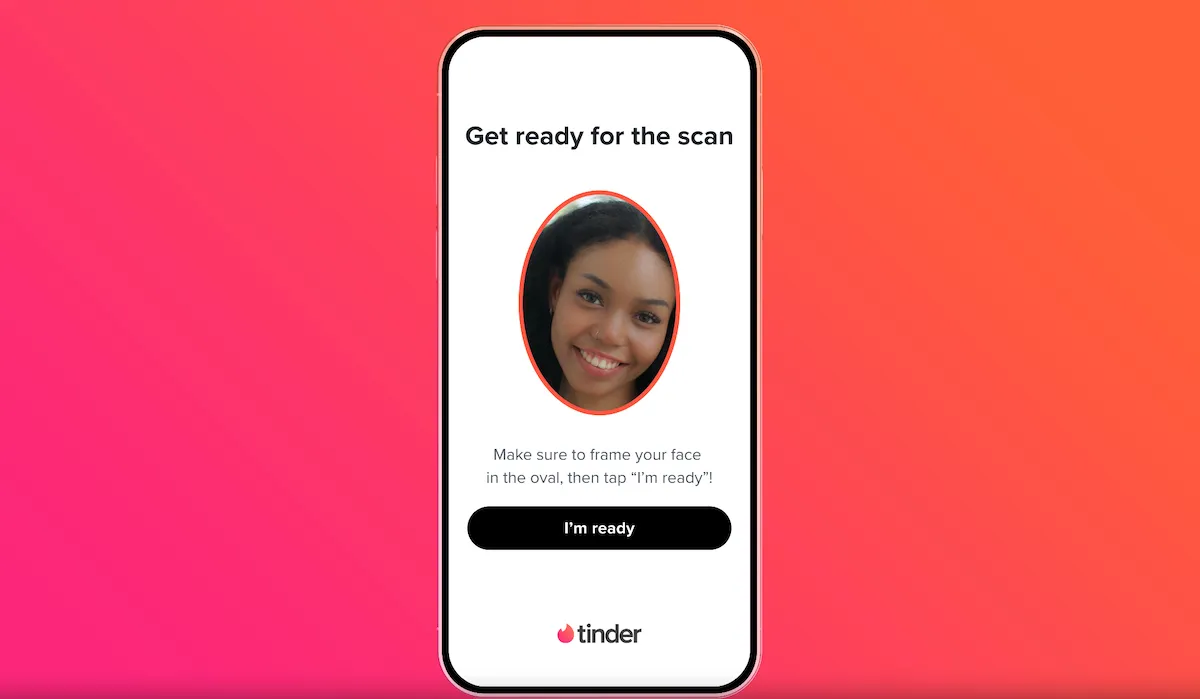 Tinder's Face Check scan screen. Image: Tinder, via TechCrunch.
Test 1: the liveness check. Tinder uses facial scanning to confirm "the video was taken of a real, live person, and that it was not digitally altered or manipulated." Bad light, blur, or a covered face can fail this test before any comparison happens.
Test 2: the photo match. Tinder maps your face geometry from the video and checks it against your profile. You get the badge only if "your profile photos contain a clear solo face photo that matches the face in your video selfie." One good solo photo is enough, but you need at least one.
To start Photo Verification on an existing account, Tinder's official steps are:
- Open Tinder and tap the profile icon
- Tap the gray checkmark by your name
- When you see "Get Verified," select Continue
- Grant Tinder access to your camera if you haven't yet
- Frame your face in the oval and tap "I'm Ready"
- Follow the on-screen prompts to record the short video selfie
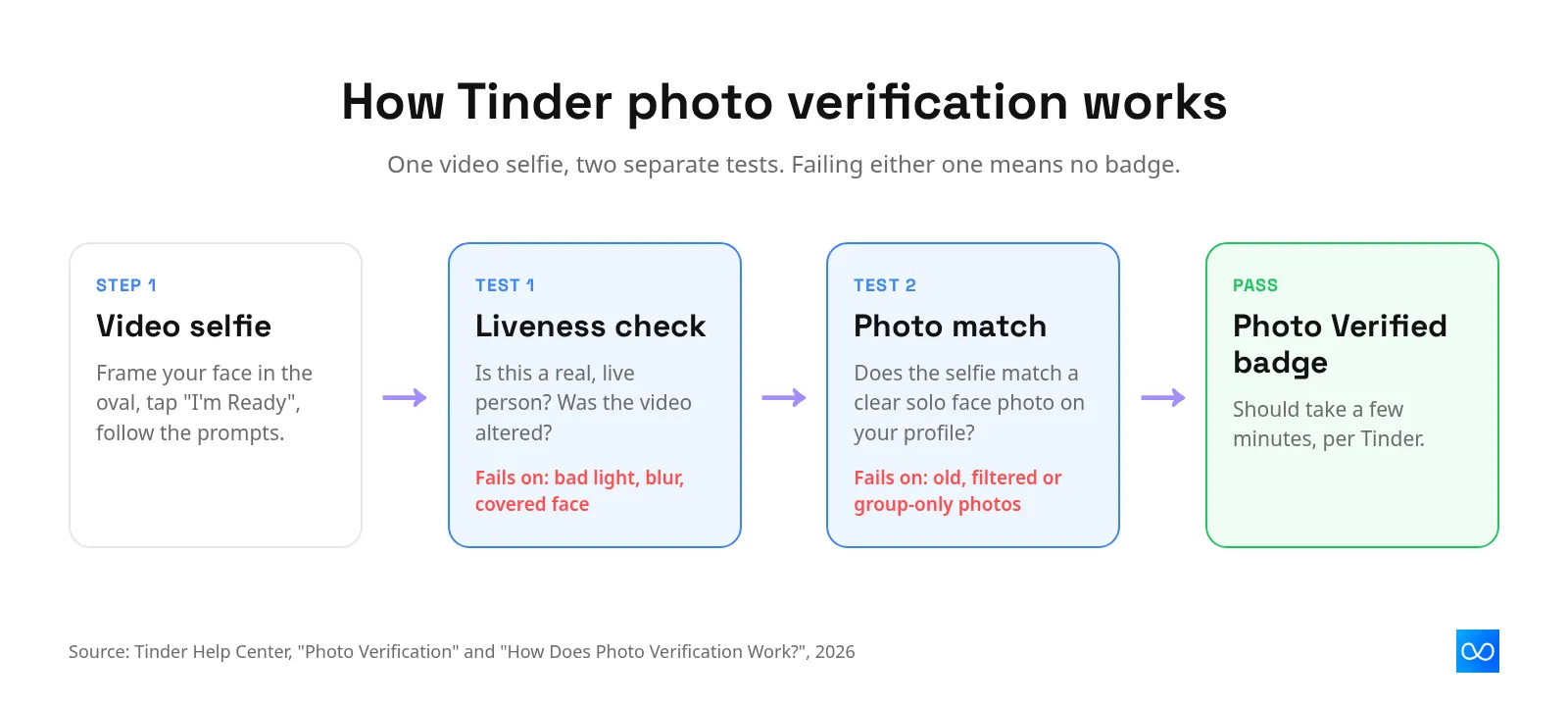
Key takeaway: A failed Tinder verification is either a selfie problem (liveness) or a profile problem (no matching solo face photo). The fixes are different, so diagnose first.
Why Tinder Photo Verification Failed: Tinder's 5 Official Reasons
Tinder's Photo Verification help page, last updated in August 2026, lists five common reasons a submission gets rejected. Here's what each one means in practice.
1. Your face isn't featured prominently in the frame
Tinder rejects selfies where your face doesn't fill the oval guide. Holding the phone too far away, or drifting off-center while you follow the head-movement prompts, both trigger this. Keep your arm bent and your face filling most of the oval for the whole recording.
2. Your face is blocked or obscured
Sunglasses, a cap pulled low, a mask, your hand, or hair across your eyes can all block the scan. Tinder needs your full face visible. Take off anything that covers your eyes, nose, or jawline before you start.
3. You don't have a neutral expression
Tinder lists "lack of neutral facial expression" as a rejection reason. A huge grin, a squint, or puffed cheeks changes your face shape enough to make matching harder. Relax your face unless a prompt asks you to do something specific.
4. The video wasn't bright or clear enough
Dim rooms, a bright window behind you, and shaky hands all produce a dark or blurry video. Face a window or a lamp instead of having light behind you. Wipe your front camera lens, too. Phone lenses pick up skin oil fast, and a smudge makes every frame soft.
5. The person in the video doesn't match your profile photos
This is the one people don't expect. If your profile photos are old, heavily filtered, mostly group shots, or show you with a beard or weight you no longer have, the comparison fails even when the selfie itself is perfect. The fix happens on your profile, not in front of the camera.
Key takeaway: Reasons 1 to 4 are fixed in under a minute with better framing and light. Reason 5 means your profile photos need updating before any retry will work.
Tinder Photo Verification Not Working? Fixes by Symptom
Different error behavior points to different causes. Find the symptom that matches what you're seeing.
"Rejected" right after you submit
A fast rejection on Tinder usually means the photo match failed, not the camera. Check that at least one profile photo is a recent, clear solo shot of your face with no sunglasses or heavy filter. Add one if it isn't there, then retry.
The selfie keeps coming out blurry
Blurry Tinder verification selfies are a widely reported issue, even on new phones. Clean the front lens, face a light source, brace your elbow against your body to stop shake, and move slowly through the prompts. Stable Wi-Fi helps the upload.
The camera won't open or shows a black screen
A black screen during Tinder verification is usually a permissions or app problem. Check that Tinder has camera access in your phone's settings, close any other app using the camera, update Tinder to the latest version, and restart your phone.
Stuck "under review" or spinning
Tinder says Photo Verification "should only take a few minutes to process." If it's been much longer, force-close the app and reopen it. Tinder's help center says you can "exit the Photo Verification flow and start again" if capture stalls. Photo Check can include a manual photo review, which takes longer, and Tinder doesn't publish a timeline for that.
Your blue badge disappeared
Tinder says you may have to verify again "if you delete 1 or more of your profile photos," and any new photo you upload is subject to continued verification. Swapping in a photo that doesn't look like you can cost you the badge.
You're locked out and asked for a selfie
That's Photo Check, triggered by unusual activity. Completing it unlocks the account. There's no way around it inside the app.
Key takeaway: Fast rejection points to your profile photos. Blur, black screens, and spinning point to your phone, your light, or the app version.
How to Fix a Failed Tinder Photo Verification, Step by Step
Work through these in order. Each step removes one common cause, so by the end you've covered all five of Tinder's official reasons.
- Identify the check. Optional Photo Verification for the badge, Face Check at sign-up, or a Photo Check lock after unusual activity. Photo Check and Face Check need to pass before you can use Tinder normally.
- Fix your profile photos first. Make sure at least one is a recent, clear, solo photo of your face with no sunglasses, mask, or strong filter. Remove group shots from the first slots.
- Update Tinder and allow camera access. Install the latest version and confirm camera permission is on in your phone settings.
- Set up your light. Face a window or lamp. Never sit with a bright window behind you.
- Clean the lens and hold the phone at eye level. Fill the oval with your face and keep a neutral expression.
- Record slowly. Follow each prompt without rushing, and keep the phone steady.
- Restart the flow if it stalls. Exit, force-close Tinder, reopen, and start again.
- Contact Tinder. If it still fails, use Tinder's help center contact form and describe exactly what error you see.
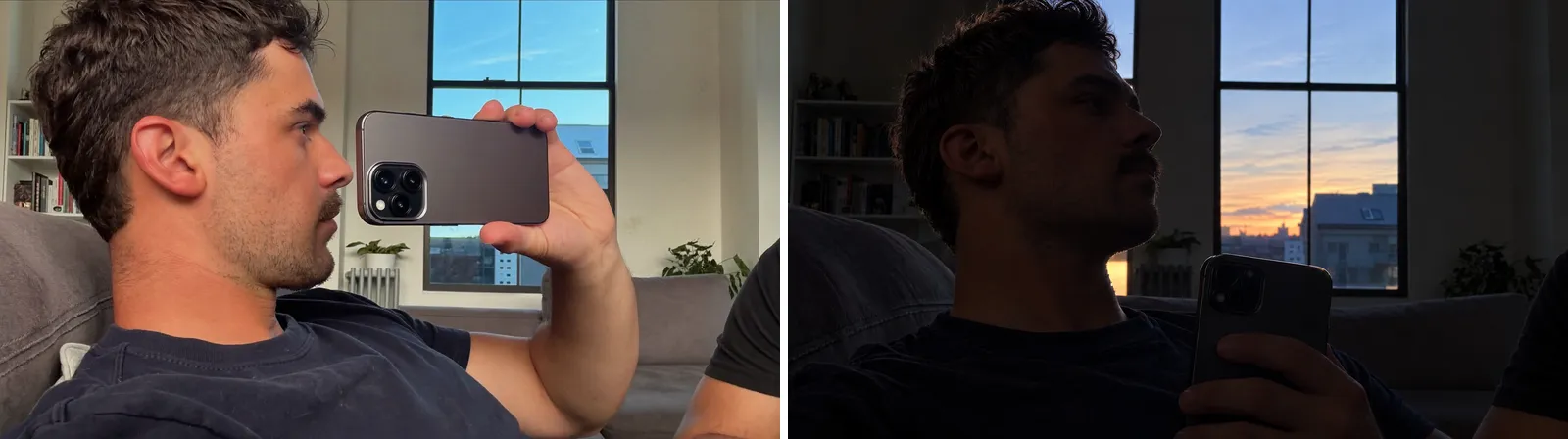 Left: light in front, phone at eye level. Right: backlit, phone held low. The right setup is a common cause of dark, failed selfies.
Key takeaway: Fix the profile before you retry the selfie. Retrying with the same mismatched photos just fails the same way.
How Long Does Tinder Photo Verification Take?
Tinder's official answer is short: it "should only take a few minutes to process your Photo Verification request." Once approved, Tinder notifies you and adds the Photo Verified checkmark to your profile.
Anything much longer than a few minutes is outside Tinder's normal timing. Common causes are a stalled upload, an app glitch, or a review step. Photo Check, the lock triggered by unusual activity, can include a manual review of your photos, and Tinder doesn't publish how long that takes. Be wary of guides quoting exact hour counts for manual review. Tinder doesn't publish one.
If you deleted your account and come back, timing changes too. Per Tinder's restore page, returning within 30 days with your old login means Tinder reuses your stored face data instead of asking for Face Check again. After 30 days, you redo it.
Key takeaway: A few minutes is normal. If it's hung far longer, restart the flow once, then contact Tinder support rather than retrying over and over.
When the Selfie Is Fine but Your Photos Aren't
Plenty of men fail Tinder verification with a perfect selfie because their profile doesn't contain a photo that looks like them today. Tinder needs "a clear solo face photo that matches the face in your video selfie." Many profiles are built from old trips, group nights out, and sunglasses shots, and none of those qualify.
The obvious fix is taking a new, well-lit solo photo. If you can, do it. Our guide to the best photos for Tinder covers which shots to take and in what order.
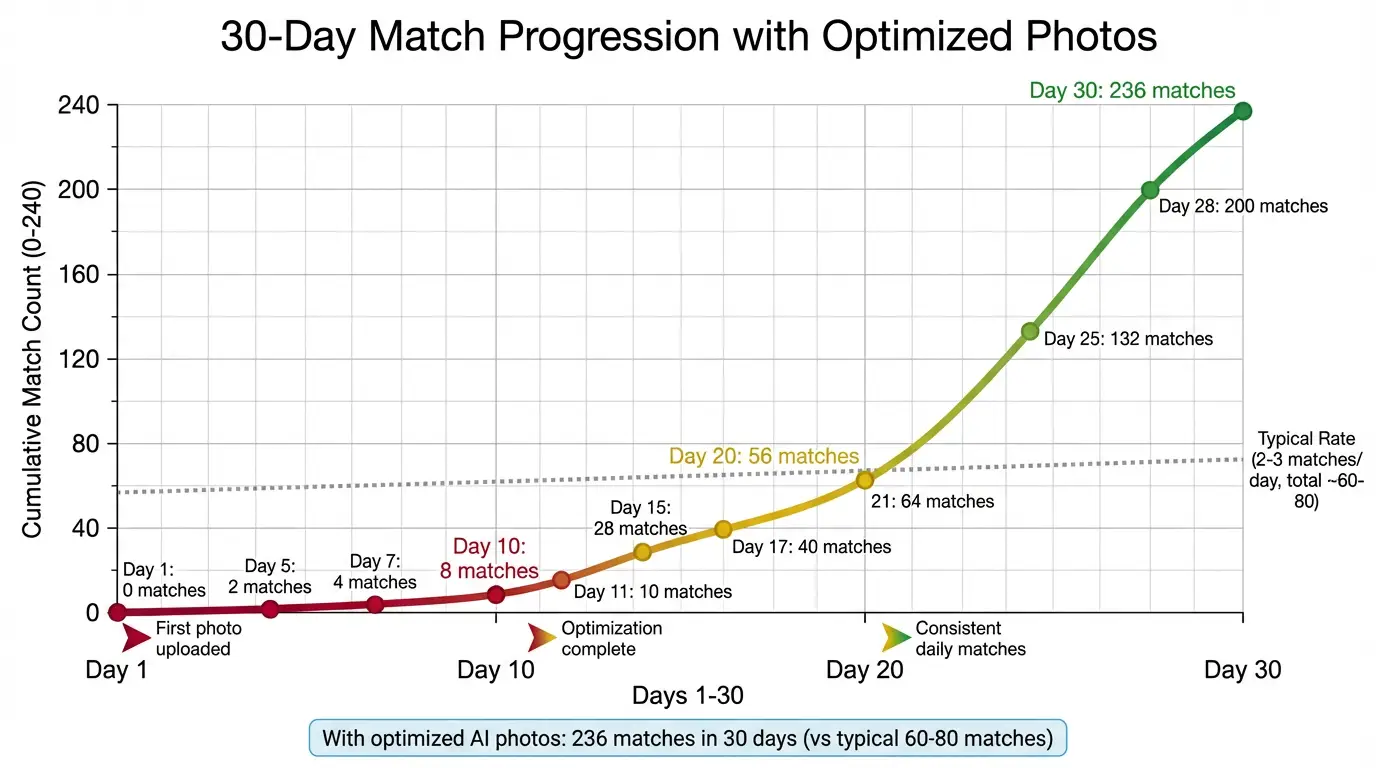
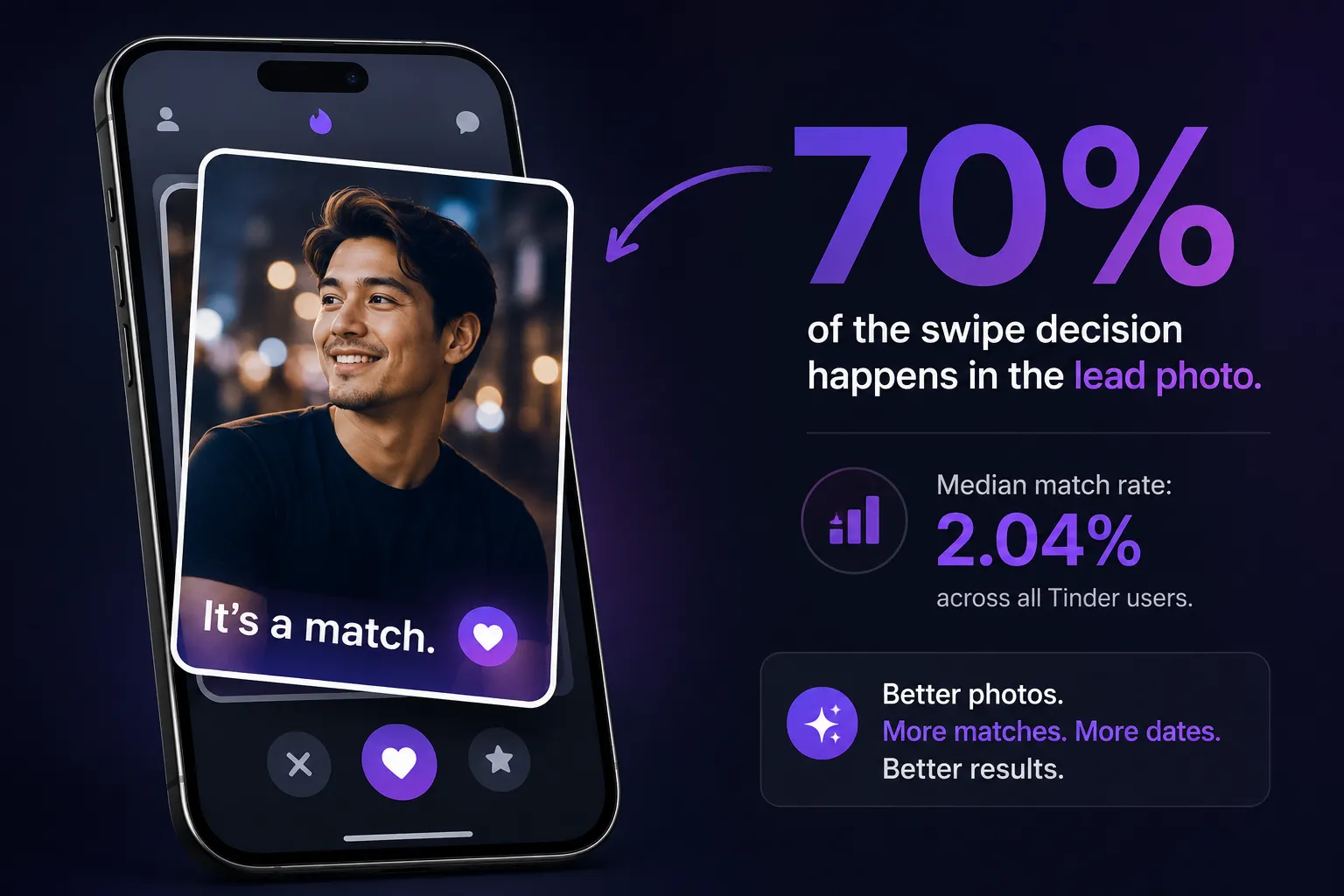
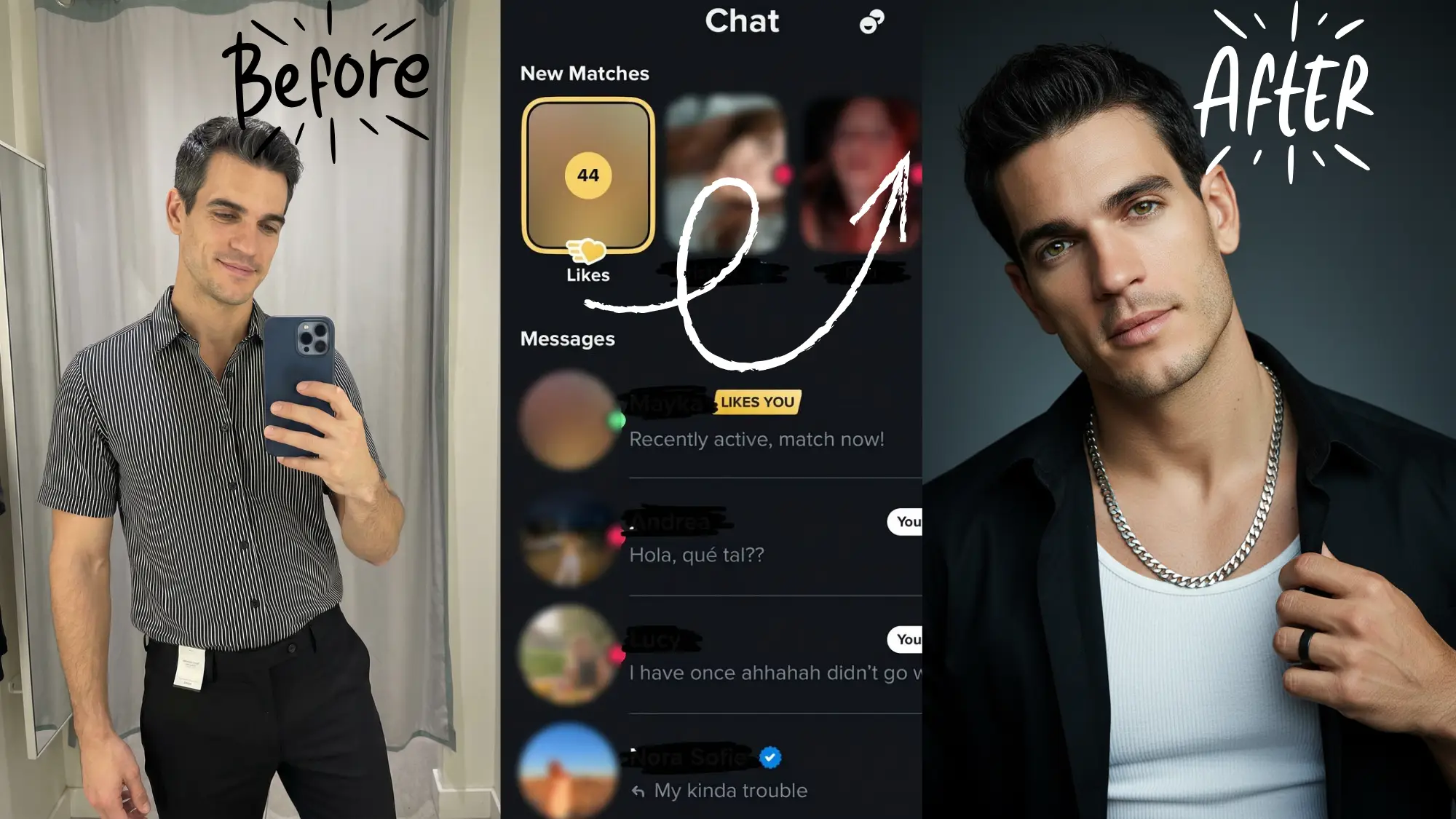
If you don't have anyone to take good photos of you, that's where AI photos come in, with one condition: they have to be generated from your real face. Photos that reshape your jaw, smooth your skin, or change your eyes create the exact mismatch that fails verification. TruShot's AI Tinder photos are built from your own selfies to keep your real facial structure, which is why they match your verification video. In our own testing, TruShot hits a 70% usable-photo rate with a 9/10 authenticity score.
Disclosure: I partner with TruShot. I recommend it for this problem specifically because it keeps your real face, which is the one thing Tinder's photo match checks.
"The AI is OP, the crazy thing is that the photos look exactly like me, even Tinder validated the profile through face verification. Just saying... I got 40 likes per day but the crazy thing is that I just got those photos 3 days ago, imagine a week, month or a year." — James, 28, London
Key takeaway: If your profile has no recent, clear, solo face photo, no amount of selfie retries will pass. Fix the photo set first.
Is Tinder Photo Verification Safe? What Happens to Your Face Data
A lot of people stall on verification because they're unsure what Tinder keeps. Tinder's data page is specific:
- The video selfie is checked to confirm you're a real person, then "promptly deleted." It's never added to your profile.
- Two audit images from the video are kept for managing the feature. You can ask Tinder to delete them.
- Your FaceMap and FaceVector (a mathematical description of your face) are kept for the life of your account so new photos can be checked and duplicate accounts spotted. They're deleted within 30 days of closing your account.
- The result (pass or fail) is kept until 90 days after account closure, or 1 year if the account is banned.
- Sharing: data is stored on Tinder's AWS servers and may be shared within Match Group to catch banned users. For U.S. residents, Tinder says it doesn't "sell" or "share" verification data as state privacy laws define those terms.
One catch: outside the EEA and Switzerland, the only way to delete your verification data is to delete your Tinder account.
Key takeaway: Tinder doesn't keep your video, but it does keep a face map for as long as your account exists. That's the trade for the badge.
Can Tinder Photo Verification Be Faked?
The live selfie is hard to fake. Tinder's liveness check is designed to detect video that's "digitally altered or manipulated," and its face vector system compares your face against other accounts to catch one person running several profiles, or someone using another person's face.
The photo side is looser. Tinder only needs one clear solo face photo that matches your selfie. Thred reported in April 2026 on a creator who tested edited and AI-swapped versions of his own face. Tinder and Hinge accepted them as long as they still looked like him, while Bumble rejected most.
What that tells you is useful: Tinder checks whether the photo resembles you, not whether it was edited. Tinder is even testing its own Photo Enhance tool that fixes blur and lighting, with an automatic check "to help confirm that the enhanced photo still looks like you." Improved photos of your real face are fine. Photos of someone else, or a face reshaped beyond recognition, aren't. For the full policy picture across apps, see are AI photos allowed on dating apps.
Key takeaway: You can't fake being someone else. You can, and should, make sure your best real photos are on your profile.
Frequently Asked Questions
FAQ Schema (JSON-LD)
Does Tinder force photo verification?
It depends on the check. Photo Verification for the blue badge is optional. Face Check is required for new users in regions where Tinder has rolled it out, including California since June 2025 and more U.S. states since late 2025. Photo Check is also mandatory: Tinder triggers it on existing accounts when it detects unusual activity, and the account stays locked until you pass.
Why is my face verification not working on Tinder?
Tinder lists five reasons: your face isn't prominent in the frame, it's blocked or obscured, your expression isn't neutral, the video isn't bright or clear enough, or your face doesn't match your profile photos. If the camera itself won't open, check Tinder's camera permission, update the app, and restart your phone.
Why is my Tinder profile under review after photo verification?
Tinder says Photo Verification should take only a few minutes. A longer wait usually means a stalled upload, an app glitch, or a review step. Photo Check can include a manual review of your photos, and Tinder doesn't publish a timeline for it. Force-close and reopen the app, restart the flow once, and contact Tinder support if it stays stuck.
Why are my Tinder verification selfies blurry?
Blur usually comes from a smudged front lens, low light, or hand shake during the head-movement prompts. Wipe the lens, face a window or lamp, brace your elbow against your body, and move slowly. It happens on new phones too, so the fix is the setup, not the device.
What happens if you fail Tinder photo verification?
If you fail optional Photo Verification, you simply don't get the blue badge and can try again. If you fail Face Check at sign-up, you can't finish setting up the account. If you fail or skip Photo Check, the account stays locked, and Tinder says it closes accounts that never complete Photo Check after 2 years.
How do I redo Tinder photo verification?
Exit the verification flow, force-close Tinder, reopen it, then tap the profile icon and the gray checkmark by your name to start again. Before retrying, add a recent, clear solo face photo to your profile, because retrying with the same mismatched photos usually fails the same way.
How long does Tinder photo verification take?
Tinder says it should only take a few minutes to process a Photo Verification request. Once approved, Tinder notifies you and adds the Photo Verified checkmark to your profile. Photo Check can include a manual review that takes longer, and Tinder doesn't publish a timeline for that.
Will AI photos pass Tinder photo verification?
AI photos pass Tinder verification when they're generated from your real face and keep your facial structure, because Tinder checks whether your profile photo matches your live selfie. AI photos that reshape your jaw, eyes, or skin, or show a different face, fail the match.
Your Verification Checklist
Before your next attempt, run through this:
✅ At least one recent, clear, solo face photo on your profile
✅ No sunglasses, mask, or heavy filter on that photo
✅ Tinder updated and camera access allowed
✅ Facing a window or lamp, nothing bright behind you
✅ Front lens wiped clean
✅ Phone at eye level, face filling the oval, neutral expression
✅ Slow, steady movement through each prompt
Most failed Tinder verifications clear once the light is in front of you and your profile has a photo that looks like you today. If that second part is the problem, fix the photos first and the selfie usually passes on the next try.
Get Tinder Photos That Pass the Face Match →
About the Author
Jacob Zaki is a dating profile consultant with 12 years of experience specializing in app-specific optimization. He's helped 1,200+ clients fix their dating profiles on Tinder, Hinge, and Bumble, and he partners with TruShot to provide clients with AI-generated photos that keep their real face, so they pass app verification.